[Java] Class Loader System - 클래스 로더 시스템
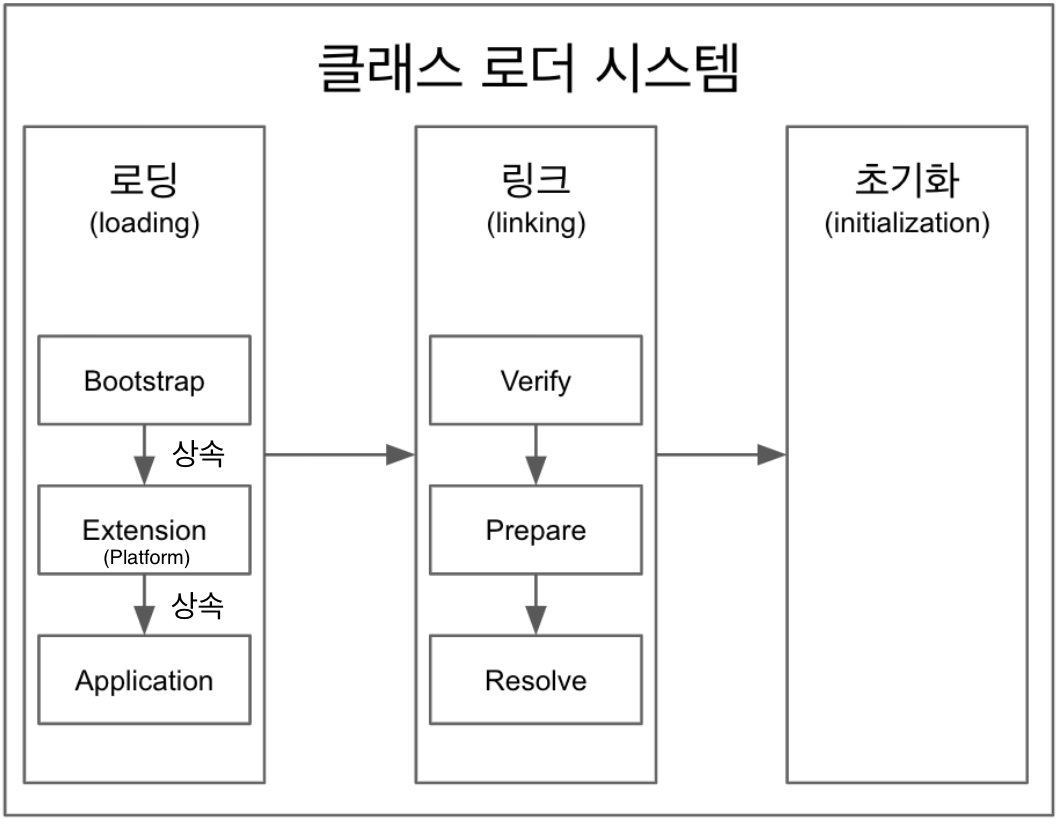
로딩 → 링크 → 초기화
1. 로딩
클래스 로더가 .class파일을 읽은 후 그 내용에 따라 적절한 바이너리 데이터를 만들고 메서드 영역에 저장한다.
- 기본적으로 계층형 구조로 되어있다.
기본적인 3가지 클래스 로더, Bootstrap. Platform(Extension), Application
- 최상위 Bootstrap클래스 로더부터 하위 클래스 로더인 Application클래스 로더가 class를 찾다 존재하지 않으면
ClassNotFoundException을 던지고 해당 프로그램 혹은 스래드가 죽는다.Bootstrap → Platform → Application →
throw ClassNotFoundException Extension Class Loader는 JDK9부터Platform Class Loader로 이름변경 되었다.- 로딩이 끝나면 해당 클래스 타입의
Class<?>객체를 생성하여힙 - heap영역에 저장된다.저장되는 데이터
1. FQCN - Fully Qualified Class Name
모든 클래스에는 정의된 클래스 이름과 패키지 이름이 있는데, 완전한 클래스 이름은 클래스 이름 + 패키지 이름을 합쳐야된다.
String a = "a" // Class Name
java.lang.String b = "b" // Fully Qualified Class Name
2. Class, Interface, Enum
3. Method, Variable
Class Loader의 실체를 확인해보자
public class App {

    public static void main(String[] args) {
        ClassLoader classLoader = App.class.getClassLoader();
        System.out.println("classLoader = " + classLoader);
        System.out.println("classLoader.getParent() = " + classLoader.getParent());
        System.out.println("classLoader.getParent().getParent() = " + classLoader.getParent().getParent());
    }
}
main메서드가 있는 클래스에서 class loader를 불러와 부모와 자식들을 확인해 봤다.
출력결과는 다음과 같다.
classLoader = jdk.internal.loader.ClassLoaders$AppClassLoader@2c13da15
classLoader.getParent() = jdk.internal.loader.ClassLoaders$PlatformClassLoader@17c68925
classLoader.getParent().getParent() = null
AppClassLoader(ApplicationClassLoader)와 PlatformClassLoader가 출력된다. 하지만 BootstrpClassLoader는 나오지 않고 null이 출력된다.
BootstrapClassLoader를 불러올 수 없는 이유
결론은 native코드로 구현되어 Java에서 볼 수가 없다.
- native코드로 되어있어서 JVM구현체마다 다르다.
- Java code에서 참조를 할 수 없다.
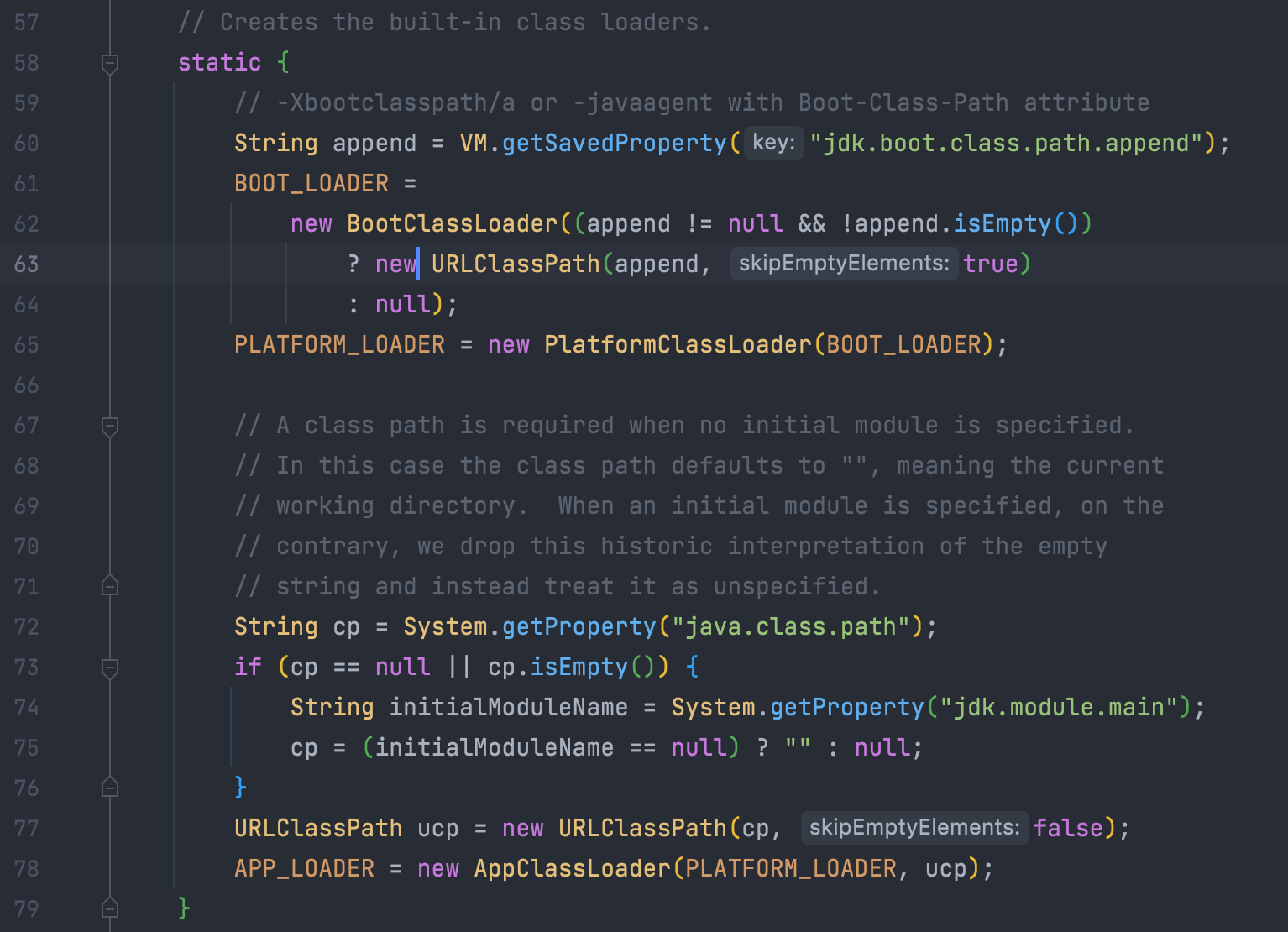
하지만 jdk.internal.loader.ClassLoaders에서 Bootstrap클래스 로더를 확인할 수 있다.
2. 링크
Verify,Prepare,Reolve(optional) 세 단계로 나눠져 있다.
Verify
.class 파일이 형식이 유효한지 체크한다.
- 혹시라도 byte code가 올바르지 않게 변경될 수 있으므로
Prepare
클래스 변수(static 변수)와 기본값에 필요한 메모리를 준비하는 과정이다.
Resolve
심볼릭 메모리 레퍼런스를 메소드 영역에 있는 실제 레퍼런스로 교체한다.
- 선택적으로 이루어 진다. (Optinoal)
3. 초기화
static변수의 값을 할당한다.
static변수의 값을 할당한다.